The BriskGen Journal
Consistent Characters in AI Video: A Practical Workflow
Keep consistent characters in AI video with clear references, approved keyframes, and a shot checklist. Plan a three-scene story before generating clips.

To keep consistent characters in AI video, choose one clear character reference, lock the wardrobe and important props, approve a still frame for each shot, then animate a simple action. Review each clip against the same references before moving on. This gives you specific errors to correct instead of another broad request to “make the character consistent.”
For a short film, work in this order:
- Approve the character's face and appearance.
- Record the clothing, props, and story state that must carry between shots.
- Approve the storyboard stills together.
- Animate one readable action per shot.
- Check the moving footage and repair the smallest useful section.
We'll apply that workflow to The Keeper, a fictional lighthouse keeper visiting a map room before watching the sunrise. The illustrations are original AI-created planning stills, rather than frames from a generated video; the reference board is an edited design example.
Choose references before writing every scene
Start with a person you can describe consistently. Our Keeper is 35, with wavy brown hair and light stubble. He wears a navy wool coat, a cream turtleneck, and brown trousers, and carries a brass compass. Those details give the project a compact visual identity.
Choose a reference with an unobstructed face, clear eyes, readable hair, and lighting that does not hide the jaw or skin texture. A dramatic portrait can be a poor working reference if half the face disappears into shadow. Keep stylization consistent too: don't combine a photographic face with a painted side view and expect them to describe an unambiguous target.
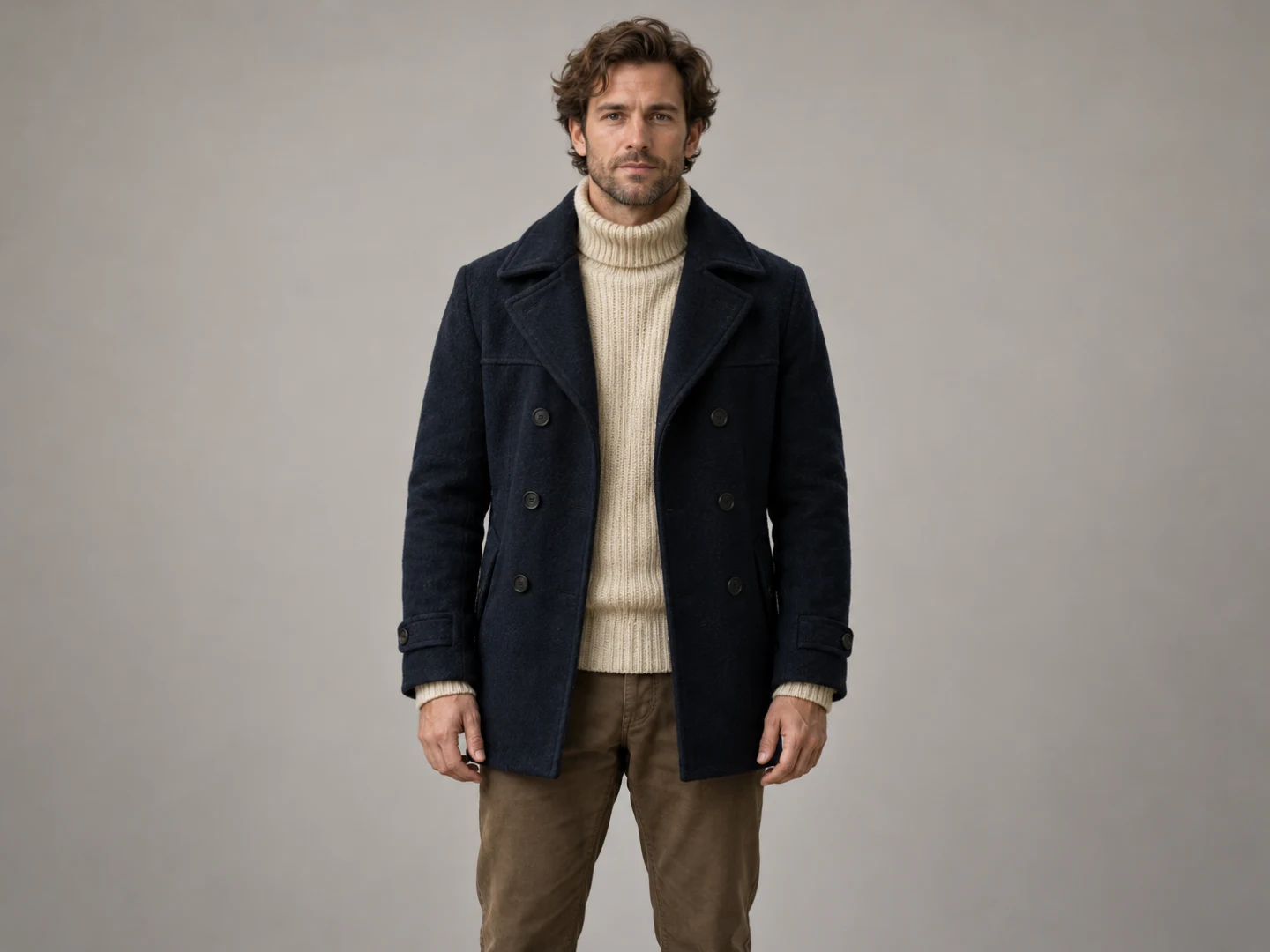
The face reference: check the hairline, jaw, stubble, and visible collar before using it to plan other shots.
Use this as the approved identity, rather than choosing a new favorite face for every scene. If the second image looks appealing but younger, it is still a continuity problem.
Does a character reference sheet need three views?
A front portrait, an angle view, and a full-body image are a useful starting set when your shots need them. They answer different questions: what does the face look like, how does it read from another direction, and what is the clothing silhouette? Runway's character-consistency guide recommends clear reference material, additional views, and a still-first workflow.
Three views are not a mandatory format or a quality guarantee. A close-up dialogue scene may need a stronger profile reference; a distant walking shot needs the coat length and trousers to be visible. Select the views your storyboard will actually use. Check that every view depicts the same person before treating them as a character reference sheet.
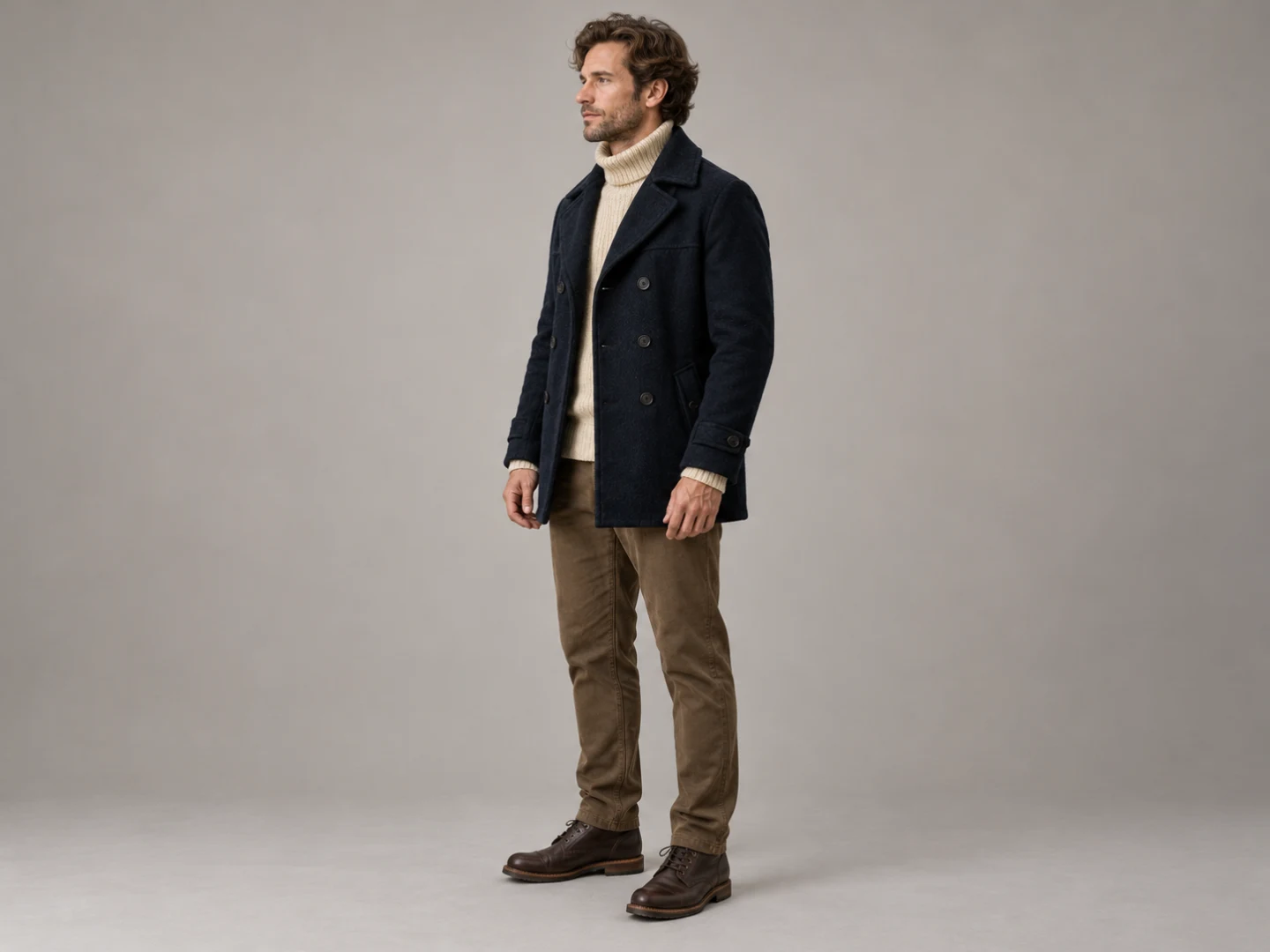
The clothing reference: compare coat length, collar shape, proportions, and trousers with the portrait.
Separate identity from the scene
Build a short identity block you can reuse, then write a separate scene block. The first describes the person; the second describes the location, framing, and action. This makes it easier to spot a changed instruction when a later shot drifts.
| Keep fixed for this story | Change deliberately by shot |
|---|---|
| Age, hair, stubble, and facial appearance | Camera distance and viewing angle |
| Navy wool coat, cream turtleneck, brown trousers | Courtyard, map room, or sea cliff |
| Brass compass design | Whether the compass is visible |
| Right hand carries the visible compass | Walking, raising it, or standing |
| Dawn and the story's chronological order | Interior shadows and exterior sunrise light |
Lighting belongs to the scene, but it changes how identity reads. A navy coat may look nearly black indoors. Compare its collar, seams, and material as well as its color before deciding it has changed.
Give the compass its own reference if it matters to the story. Record its case shape, finish, lid, and relative size. For this example, keep it open whenever visible. Record how the lid sits relative to the case, and use that orientation when planning the hand-held views. Closing it would need a deliberate action or an intentional cut.
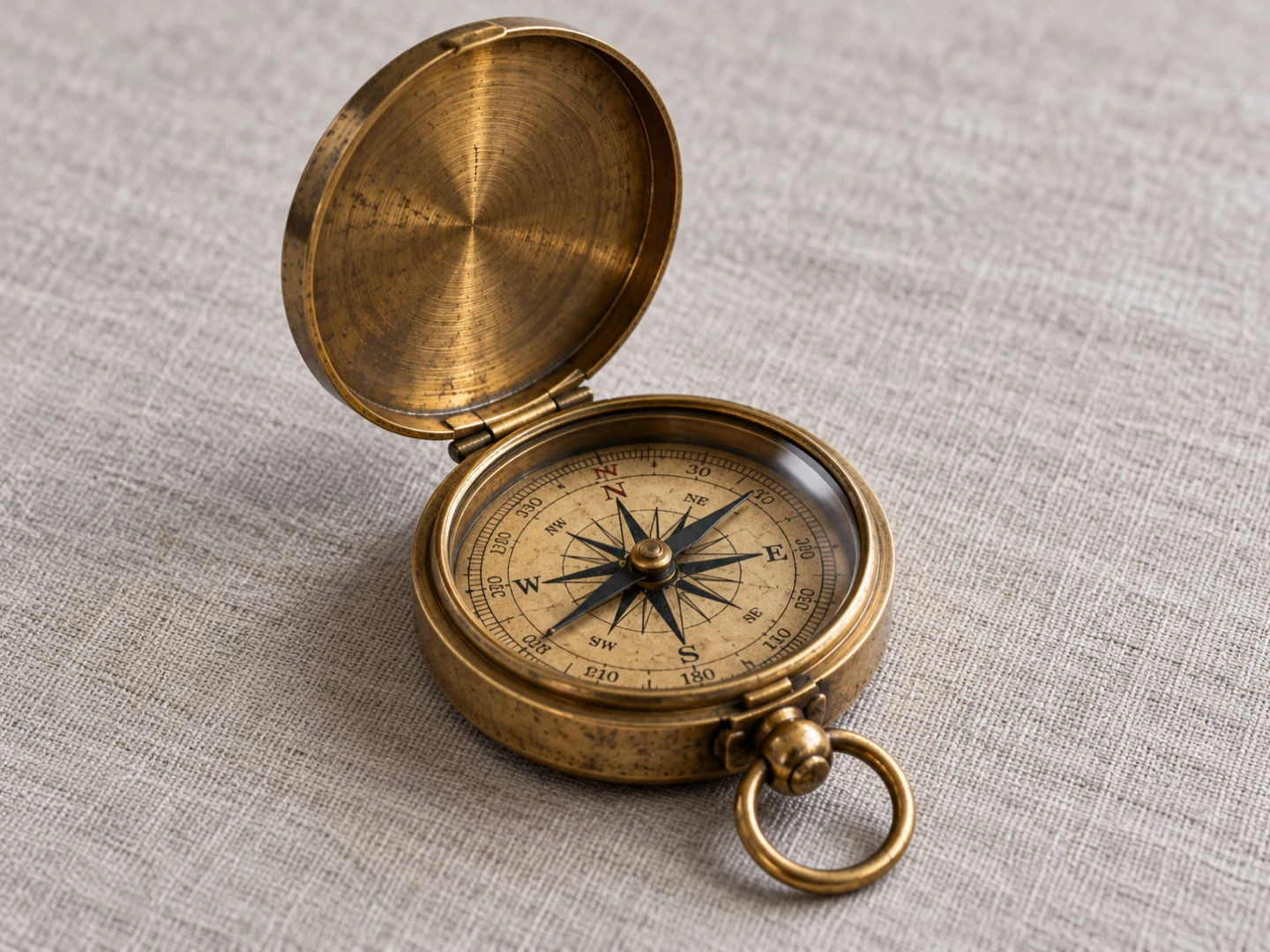
The prop reference: establish the compass's case, finish, scale, and lid state before planning its handoff between shots.
Keep a note beside the images: “Visible compass stays open; Keeper carries it in his right hand.” A prop can look correct in isolation while breaking the story through the wrong hand or an unexplained state change.
Plan consistent characters in AI video before animation
Plan character consistency across scenes before requesting movement. For The Keeper, the three-shot plan is deliberately small:
| Shot | Still frame to approve | Action and continuity |
|---|---|---|
| Lighthouse courtyard | Keeper approaching the map-room entrance at dawn | Walk toward the door; compass is not shown |
| Map room | Keeper beside a table, right hand holding an open compass just above the map | Raise it slightly to inspect it; lid remains open |
| Sea cliff | Keeper in side view, sunrise over the water | Hold the open compass at chest height in the right hand |
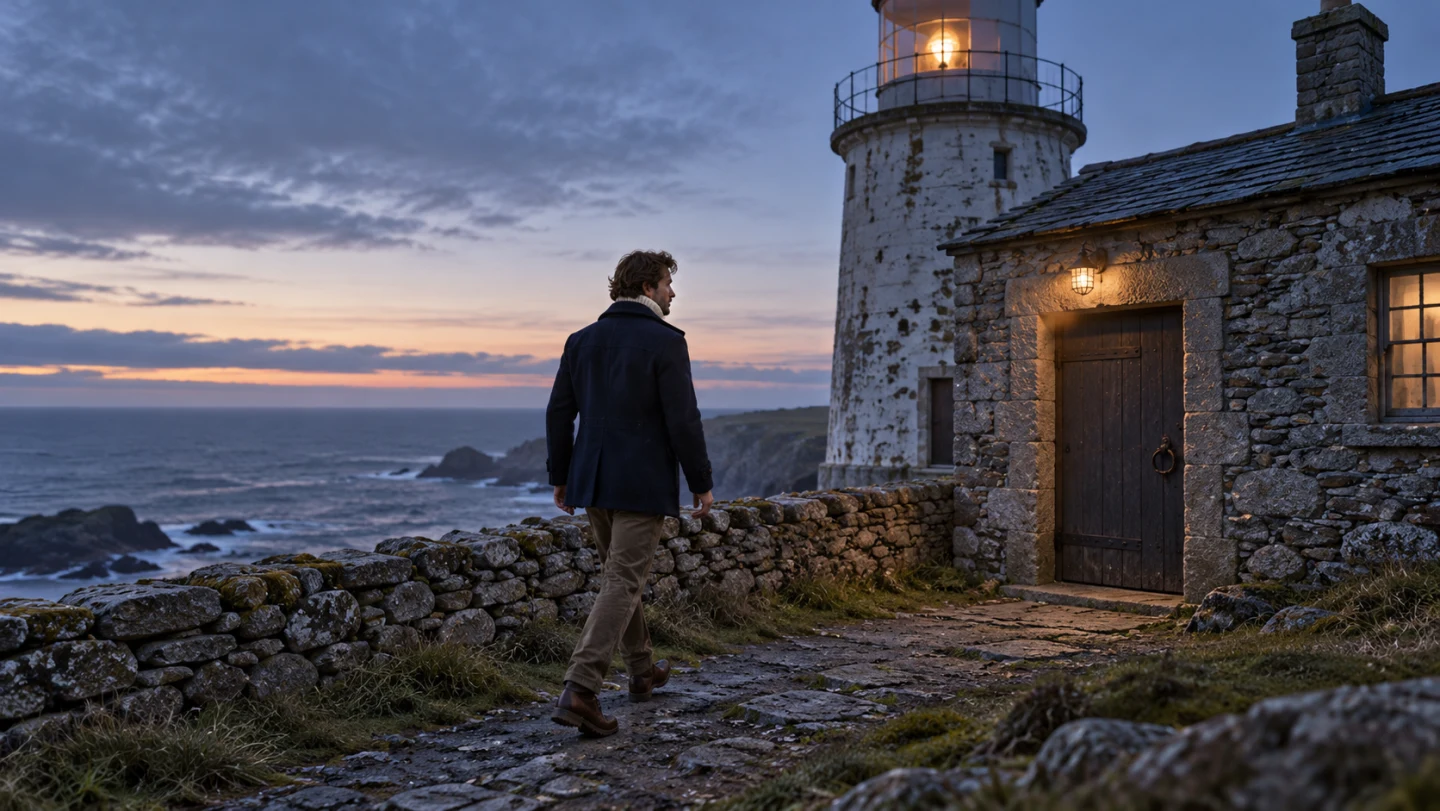
The establishing frame: coat silhouette, walking direction, and predawn light are readable; the compass is deliberately out of view.
The courtyard shot does not establish where the compass is. The interior introduces it already in his right hand, then the cliff shot continues that state. If you want to show a complete pickup instead, prepare a different starting image with the compass on the table and an empty right hand. A still that begins with the compass already held cannot establish that earlier action.
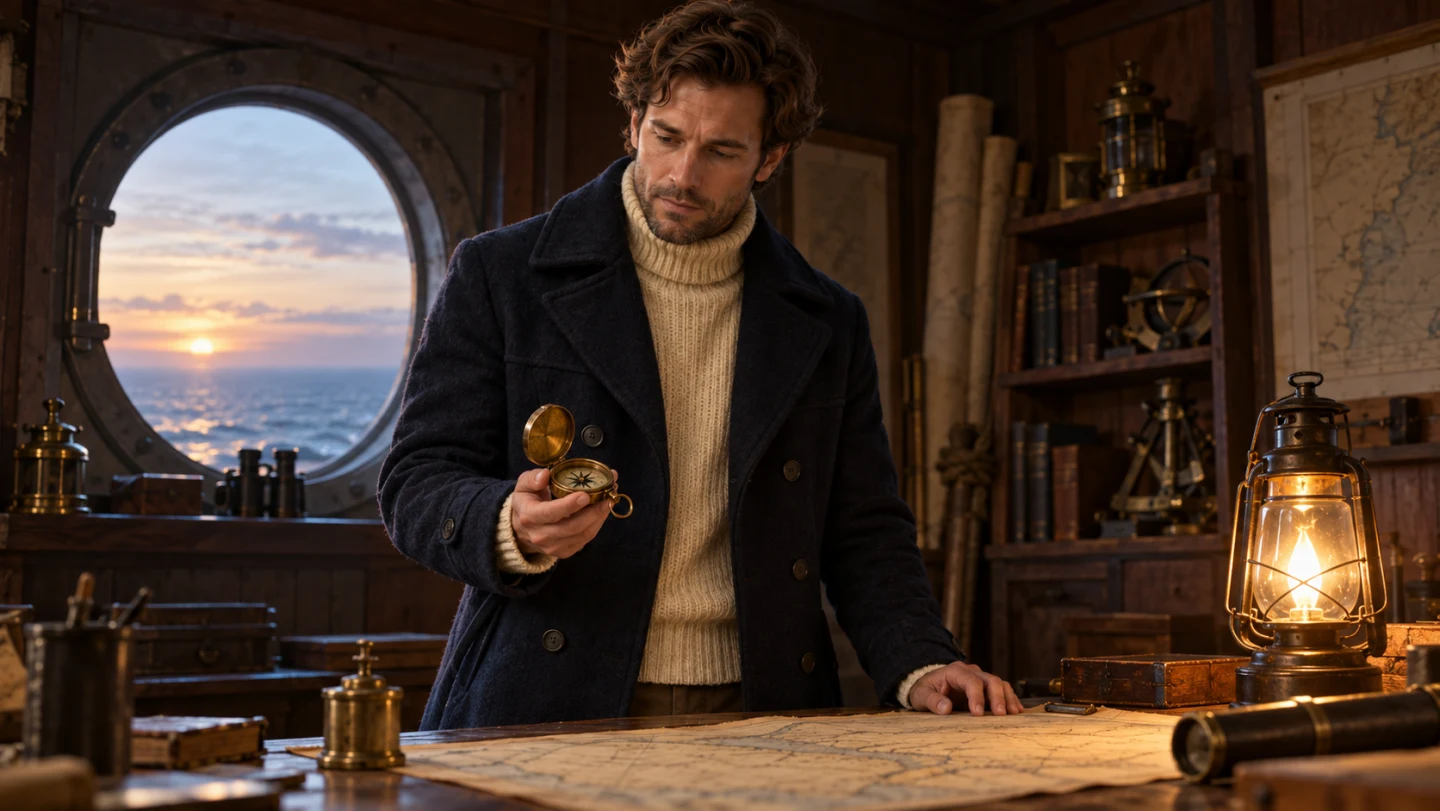
The map-room starting pose already has the compass in his right hand. Plan a small lift from here; use a different starting pose for a full pickup.
Compare all three stills at once. Does he become older in the interior? Has the cream sweater become a shirt? Is the cliff already in bright midday light? Cold dawn outside, a warm lamp inside, and sunrise at the cliff can belong to the same morning. Fix disagreements before animation adds more frames to inspect.
For storyboard continuity, write the last visible state of one shot beside the first visible state of the next. “Right hand empty” followed by “right hand holding compass” needs a pickup or a deliberate time cut. “Walking toward screen right” followed by a reverse angle needs a clear spatial reason.

Cliff planning: a new camera angle still needs the same clothing, a readable face silhouette, and a plausible continuation of dawn.
Animate a small action from the approved image
When a model supports image-to-video, an approved still gives it a concrete visual starting point. It does not lock the character's face, hands, or clothing throughout the clip. Check the selected model's reference inputs: an image may serve as a first frame, a character reference, or another kind of guidance.
Runway's reference-media documentation explains that reference use depends on the model and generation type. MiniMax’s video input documentation also distinguishes first-frame images from reference media. Do not assume that a collage accepted by one tool has the same meaning in another. For the input-and-motion distinction, see our image-to-video workflow.
Try one action first: approach the doorway, raise the held compass, or stand looking toward the horizon. Combining a pickup, lid opening, face turn, and moving camera makes it harder to identify which change caused the failure. Add complexity only after the simpler version communicates the intended beat.
Here is a short prompt structure you can copy. It is an illustrative instruction, not BriskGen-specific syntax:
Character: The Keeper, 35, wavy brown hair, light stubble; navy wool
coat, cream turtleneck, brown trousers. Match the approved references.
Scene: lighthouse map room at dawn; open brass compass in his right hand.
Action: he raises the held compass slightly and studies it.
Camera: steady medium shot. Keep his face visible and the lid open.
Keep the identity lines stable across shots. Replace the scene and action lines deliberately. If the model has separate reference controls, attach the images there rather than relying on the phrase “approved references” to give it access to files it has not received.
For shot size, movement, and pacing choices, our cinematic-video guide covers the broader scene brief. Here, the priority is a readable character and one understandable action.
Review motion, hands, and the cut
An attractive first frame is only the start of review. Watch the clip normally, then pause at the beginning, during the action, and at the end. Scrub around any face turn, obstruction, or moment when fingers touch the compass.
Use this checklist on each shot:
- Face: same apparent age, hairline, jaw, and stubble after the head turns?
- Clothing: same collar, coat length, fabric, and sleeve details?
- Hands: correct hand, plausible grip, and fingers separated from the prop?
- Compass: same case and scale; lid stays open; no duplicate appears?
- Occlusion: when a hand or door hides the face, does the same identity return?
- Reverse angles: body-relative right remains right, even when it appears on the opposite side of the screen?
- Cut: pose, screen direction, prop state, and dawn light form a believable sequence?
For the map-room shot, inspect the fingers as he raises the compass. A compass that merges into the palm or switches hands halfway through the lift fails the action even if the face looks convincing. For the cliff shot, inspect the profile and the hand against the coat: both can become harder to distinguish in silhouette.
Repair the failing section with a specific request
Name the failure before regenerating. “The compass lid closes while he raises it” suggests keeping the lid open and simplifying the grip. “The face changes after turning away” suggests reducing the turn or supplying a suitable approved angle. Changing the reference, camera, lighting, and action together makes the next attempt difficult to evaluate.
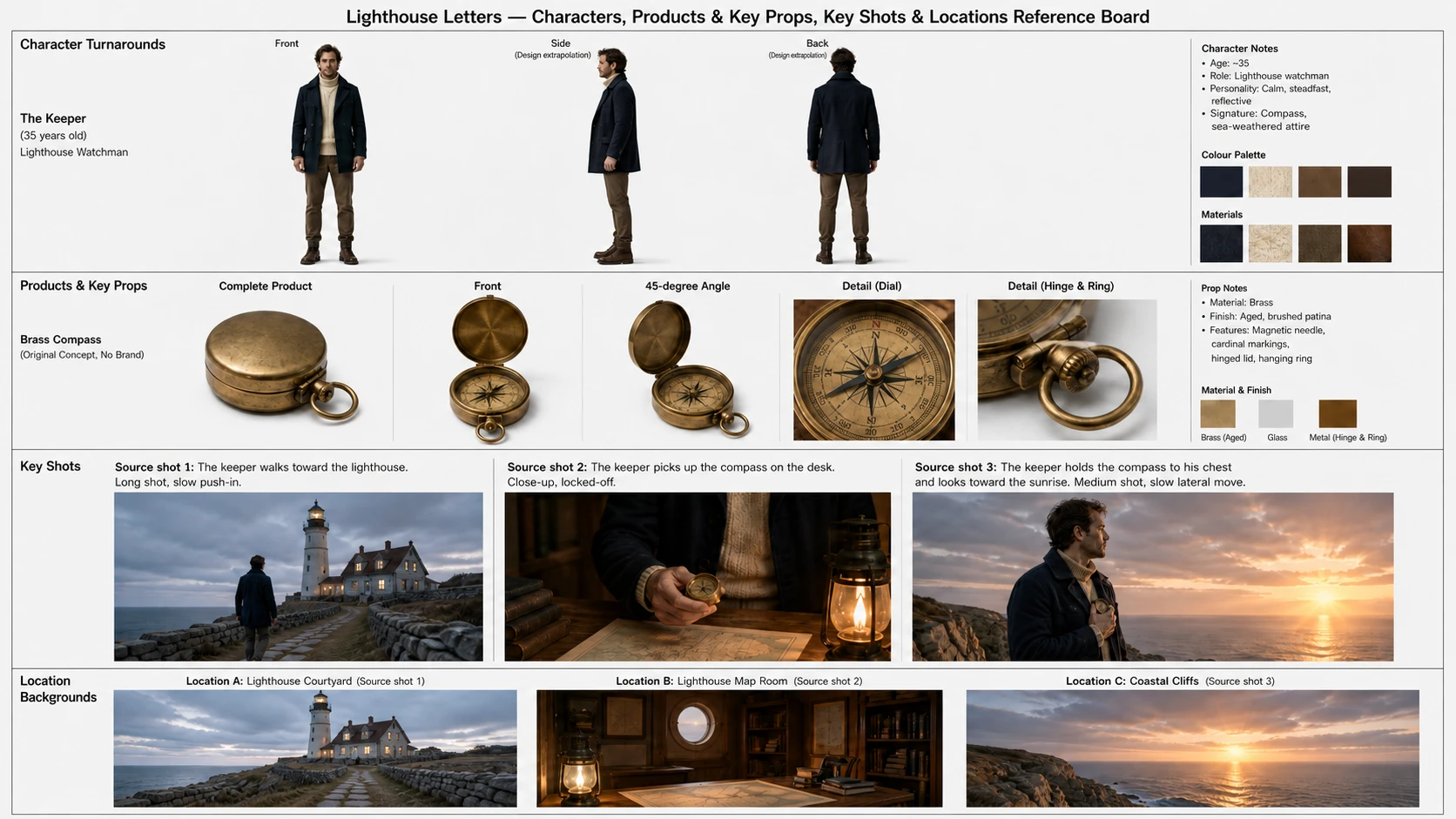
An earlier reference-board design, with its bottom edge extended for display. Its table pickup differs from the held-compass pose above: update a board when you change a shot, so old and new directions do not compete.
BriskGen's workflow includes script and storyboard editing, a shared reference board, a video quote, and selective regeneration. A selective redo regenerates the whole generation segment containing the changed shot; it is not precise editing of an arbitrary instant inside an existing video. Other eligible segments can be reused. Aspect ratio and resolution stay fixed for that local redo.
Use the creative workspace to organize the plan and review the quote before generation. Start with the map-room shot: approve its still, check the visible hand and compass, then review the complete motion before extending the film.
Frequently asked questions
Can a prompt alone keep the same character in every scene?
A repeated identity description can make your instructions more consistent, but it does not guarantee the same face. Use clear approved references where the model supports them, separate identity from scene direction, and compare the results. A name such as “The Keeper” is a project label, not a visual identity the model automatically remembers.
Should I upload one reference image or a whole character sheet?
Follow the model's supported reference format. Use a clear portrait for facial appearance and add relevant angles or clothing views when supported. A labeled sheet is useful for your own review, but a tool may interpret its panels as one composition. Confirm what each reference input actually controls before generating.
Why does a character change after turning or passing behind something?
A turn or obstruction introduces views that may be unclear in the starting image. Review the exact transition, then try a smaller turn, a clearer composition, or an approved reference for the new angle where supported. Check the whole clip again: a corrected final pose does not prove the intervening frames are consistent.
Can I fix only the bad shot?
That depends on the tool and how it divides generation. In BriskGen, a changed shot triggers regeneration of its containing segment, while eligible unaffected segments can be reused. Review the affected segment before accepting the revision. For consistent characters in AI video, the next useful step is one approved shot that survives a full motion review.